

Learn about the new AI Gateway connection, updates to customer refunds and Sage Fixed Assets Management, and a new roles permission report.
Did you know the latest Sage Intacct release had some significant updates, including a new connection with Claude? While that may have either sent you into a panic (don’t worry, it’s read-only access) or made you excited, today we’ll highlight four top features in R2 2026.
Continue reading to learn about the new AI Gateway connection, how customer refunds can now be issued via check in just a few clicks, how depreciation posting in Sage Fixed Assets Management can be summarized, and a new roles permission report giving you better visibility into permissions.
Accounts receivable — customer refunds
In R3 2025, recording customer refunds became generally available. This allowed for recording a refund occurring outside Sage Intacct, such as via credit card or ACH, in one simple step debiting accounts receivable and credited cash.
The natural next question was: What if you need to issue a check? With this release, refunds can now automatically create AP Bills.
To get started, update the customer needing a refund to select either “Auto-generated vendor” or link an existing vendor.
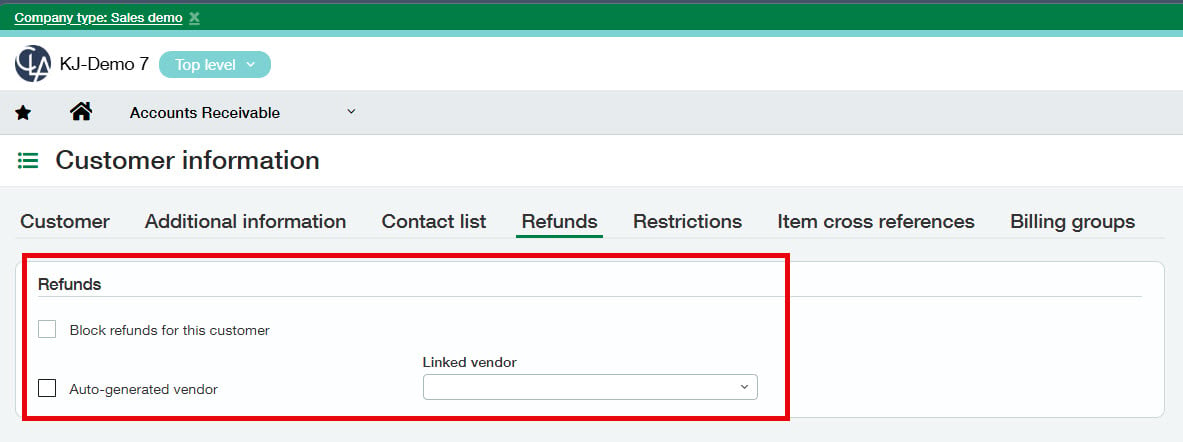
When “Auto-generated vendor” is selected, a new vendor is created and either routed through the vendor approval process or automatically saved as active if no approvals are in place.
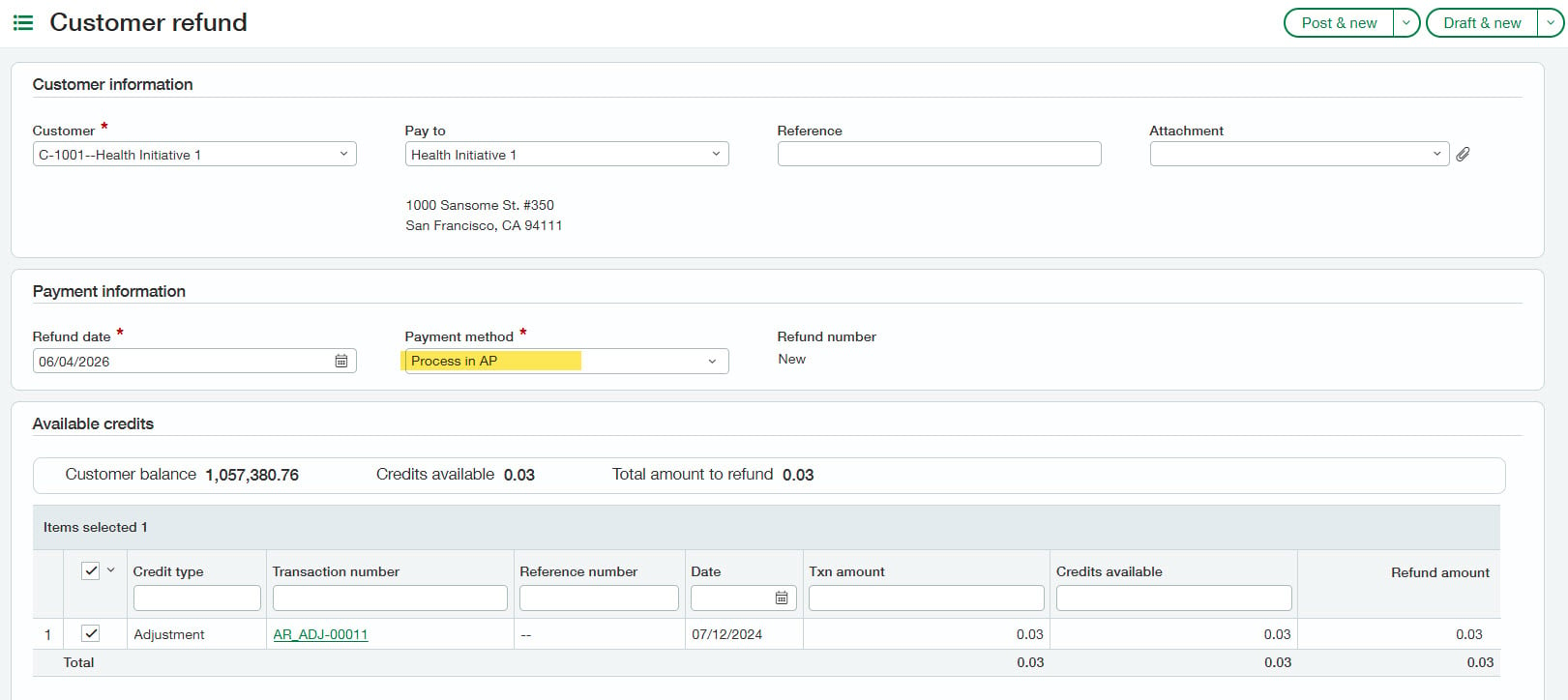
Once the vendor has been approved, you can issue a refund for the customer in Accounts Receivable. This automatically creates an AP Bill (using the Refunds Due to Customers GL account configured in AR) and links it to the original refund.


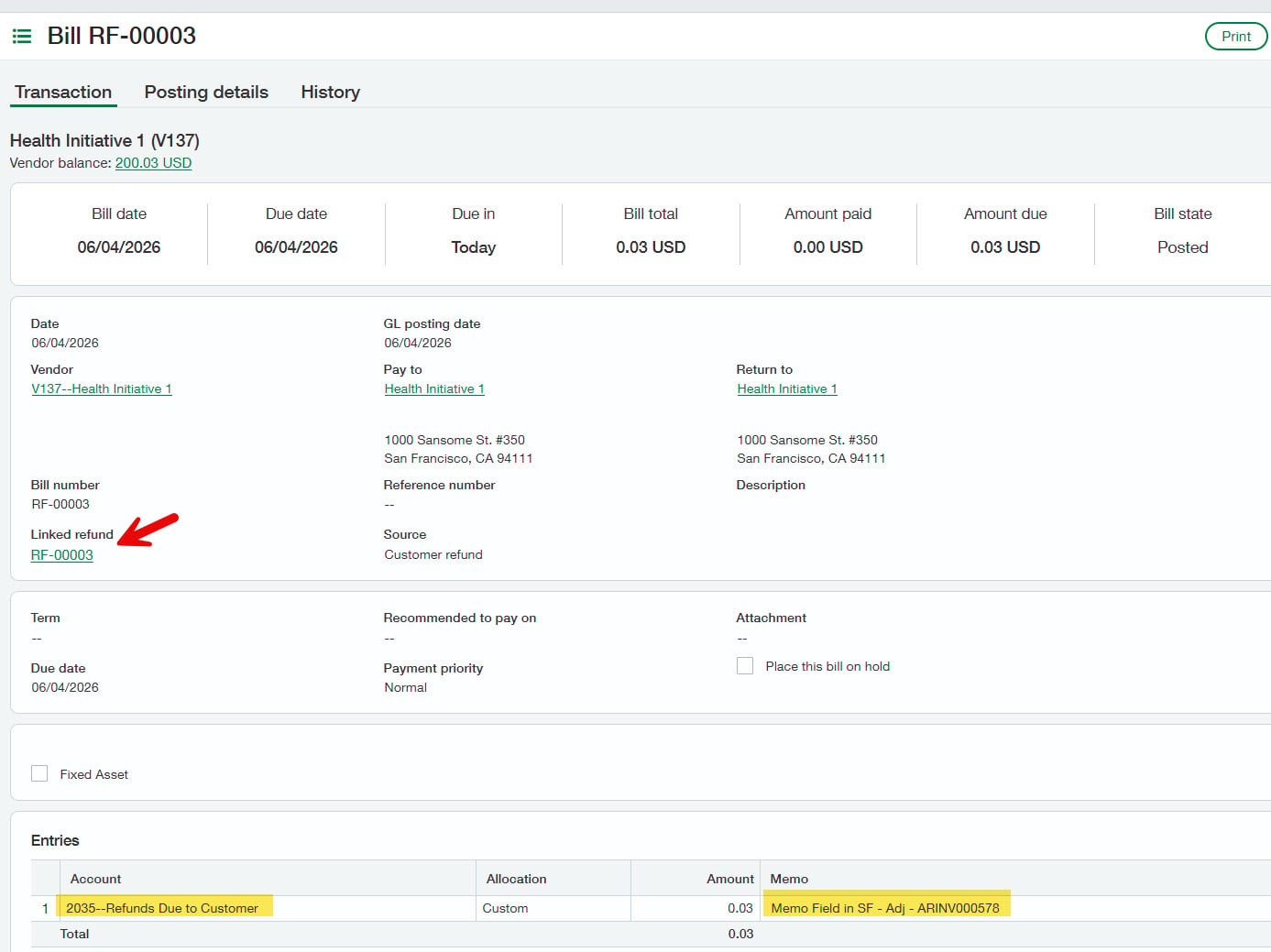
Then, follow your normal AP Bill payment process. Note bills created for refunds bypass the bill approval process.
Company and administration — roles permission report
If you use roles in Sage Intacct, you can now view a consolidated snapshot of all permissions assigned to a role in a single standard report.
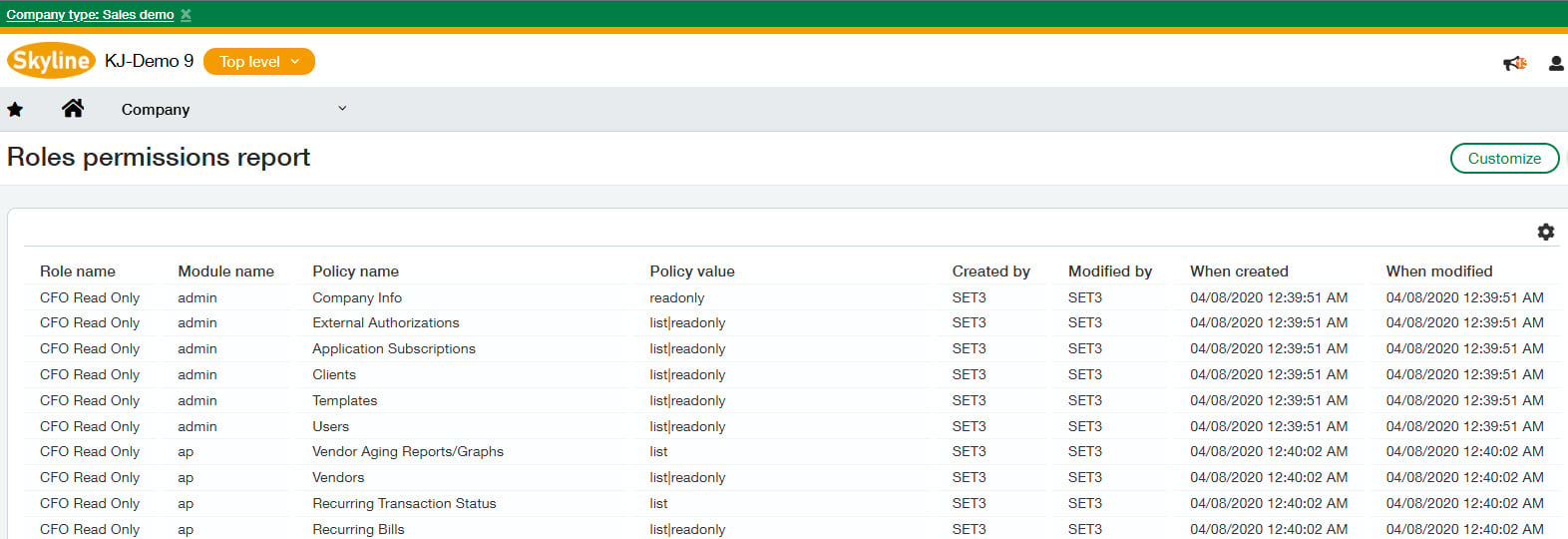
Don’t see the report? Check if your role has permission to access it.
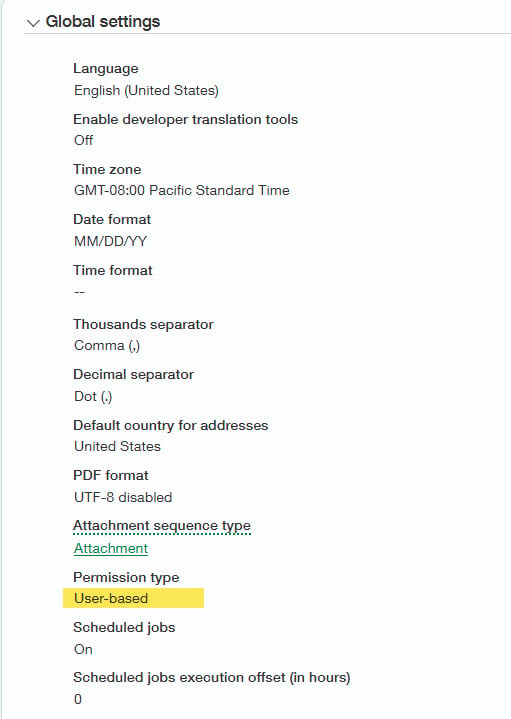
Still don’t see it? You’re likely using user-based permissions. To confirm, navigate to: Company > Setup > Company > General Information and check the Permission Type. If you would like to migrate to using roles, reach out to your CLA Sage Intacct team for additional support.
Fixed assets — summarize depreciation postings
Previously, each fixed asset would post a single journal entry for depreciation. This provided easy reconciliation but meant a more cluttered GL. This isn’t much of a problem when fixed asset volume is small. Once fixed asset volume begins to grow into the thousands, this becomes more difficult to manage.
With R2 2026, you can now update the fixed asset module configuration to post a single summarized journal entry for the month. Depreciation is grouped by dimensions and GL accounts.
For example, if you have two fixed assets with the exact same coding — entity 100 – USA 1, department 200 – Services, and 15410 equipment accumulated depreciation — your monthly depreciation entry consolidates these two fixed assets into a single entry.
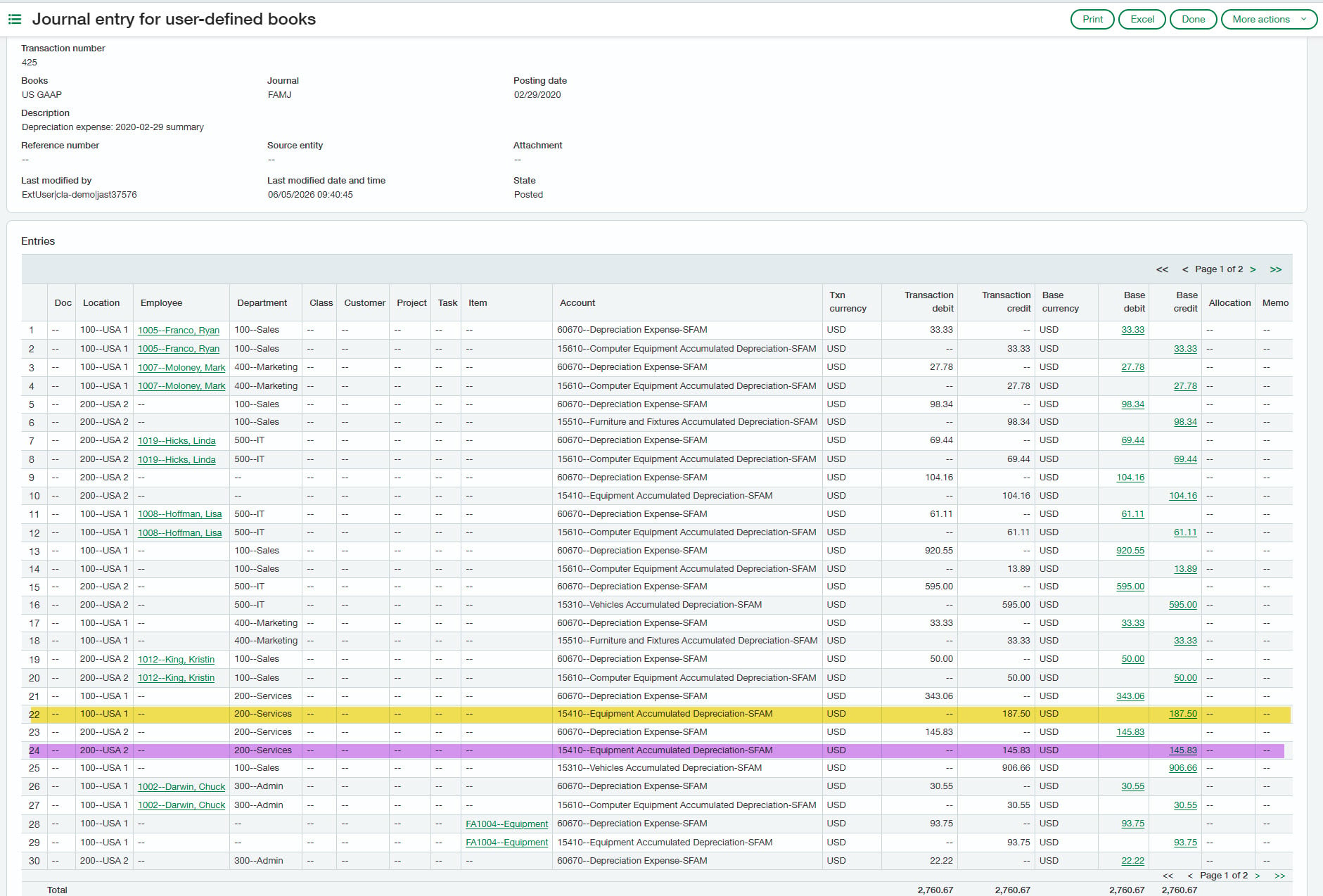

Note at this time, this configuration change is permanent and can’t be reverted to detailed once enabled.
Sage Intacct AI Gateway
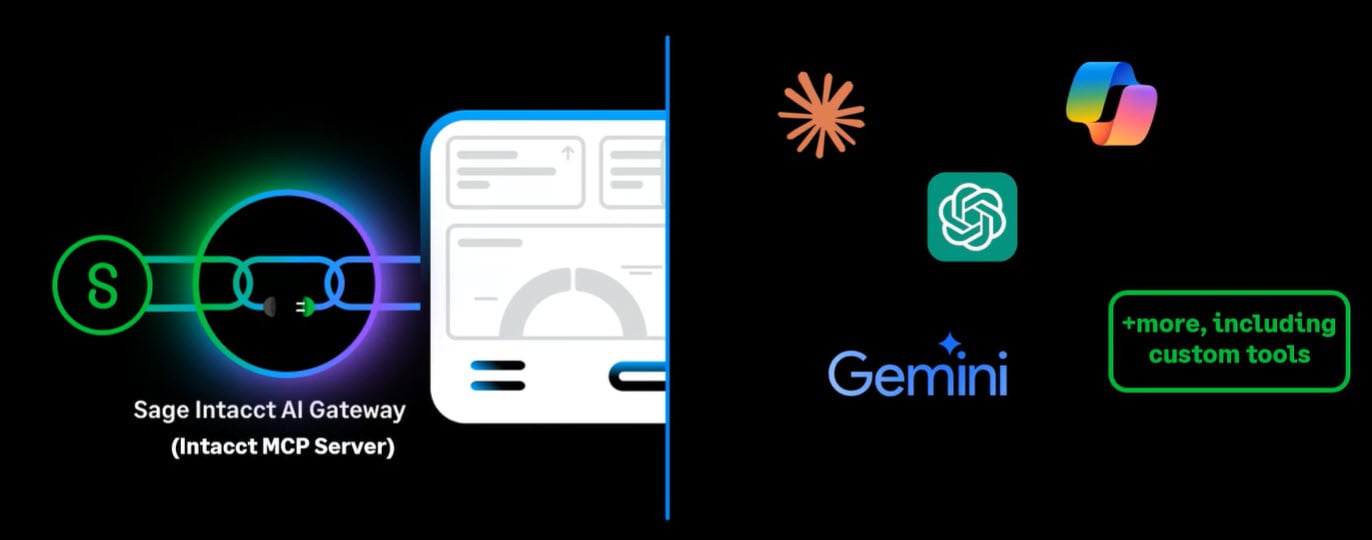
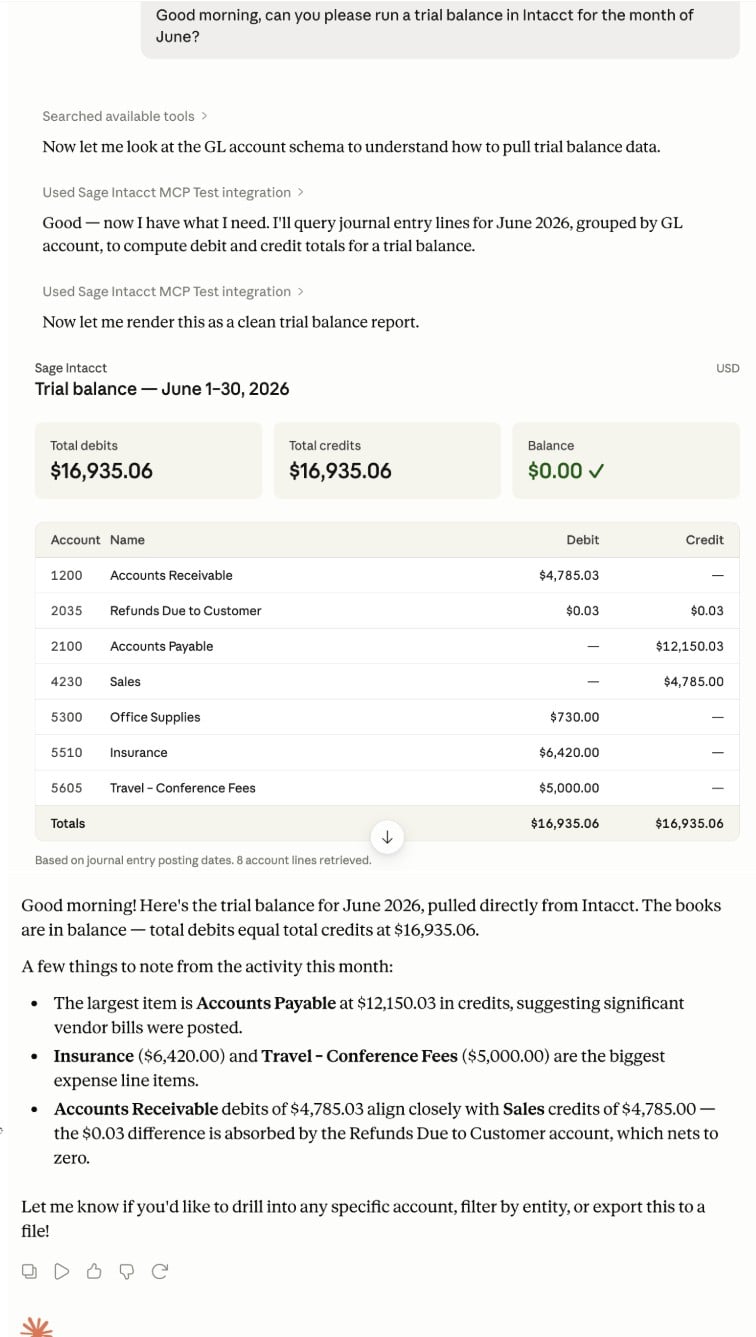
Last, but not least, you can now connect Sage Intacct to Claude or your preferred LLM via the new Sage Intacct AI Gateway. Currently, read-only access is limited to the following modules: AP, AR, GL, Cash Management, Purchasing, and Order Entry. While actions are limited to read-only access, we’re excited for the door it opens.
For more information, visit the Sage Intacct Developer Portal.
Note this feature requires both a subscription to the developer license and an MCP AI license. Reach out to your CLA Sage Intacct team for help with configuration and enablement.
What’s next?
Join our team for a complimentary webinar on June 30 where we’ll cover these updates and many other Sage Intacct R2 2026 Release Highlights in more depth. We hope to see you there!