

To help you make the most of your investment in Sage Intacct, get insights on three new releases that have wide applicability.
Did you know the latest Sage Intacct Release had 92 total enhancements? While that’s incredible — and there is likely at least one feature you can take advantage of — it can seem overwhelming.
Multiply that by four, and you have nearly 400 changes in a single year. To help you make the most of your investment in Sage Intacct, we’ll highlight three releases that have wide applicability.
Accounts receivable — customer refunds
It’s now much easier to record a refund that occurred outside Sage Intacct with the new customer refund functionality. If you refunded a customer via credit card or ACH and have no need for generating a payment from Intacct, you can use this new feature to record the refund.
Refunds can be applied against existing advances, adjustments, overpayments, or negative invoices. Below is an example of a refund against a credit memo. You no longer need to record a credit memo, debit memo, AP bill, and AP payment.
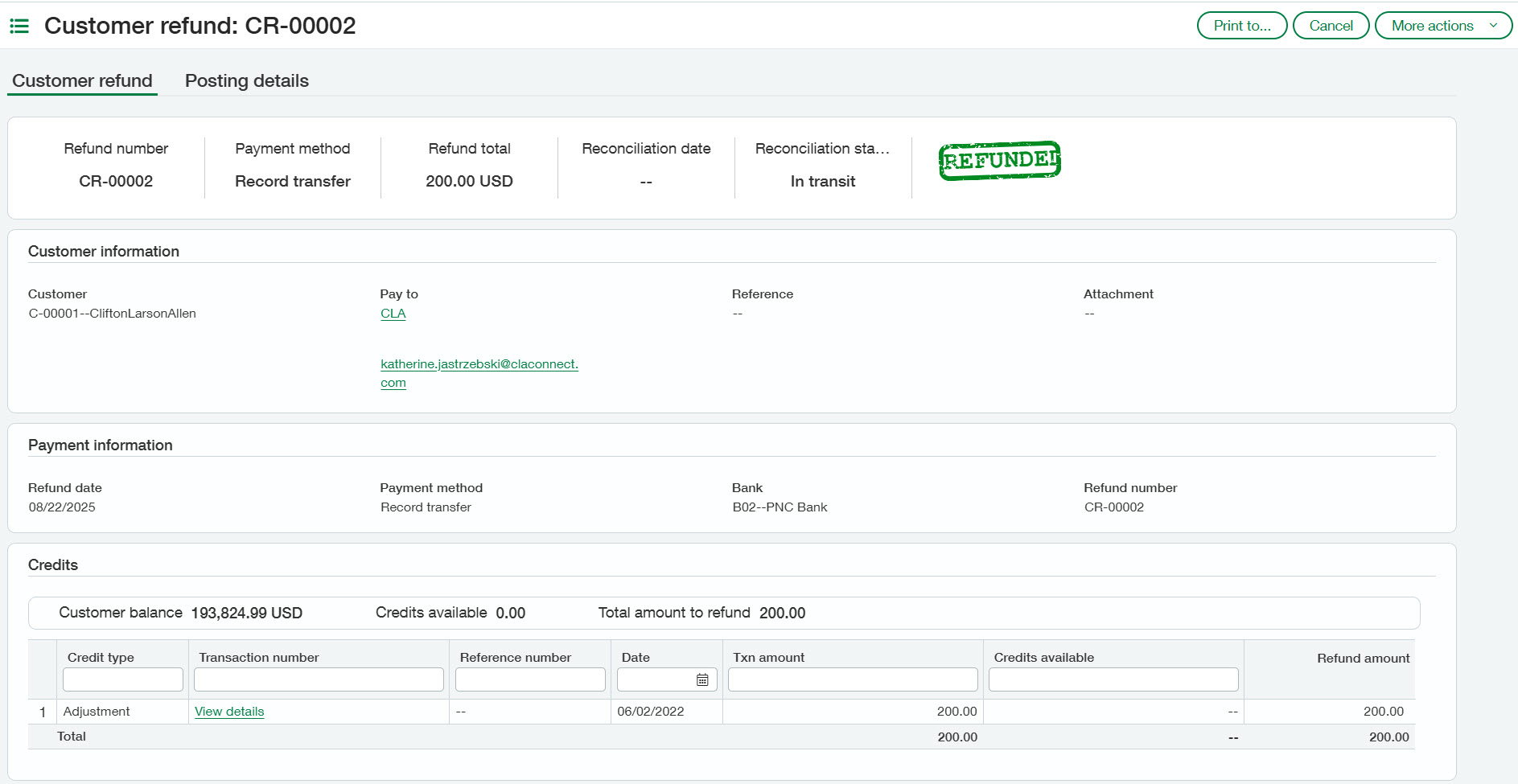
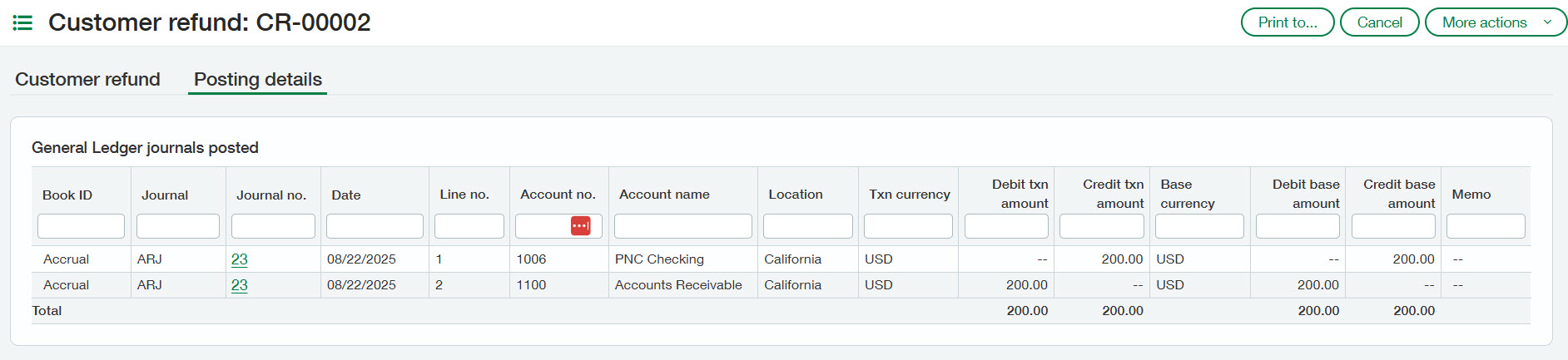
Refunds need to be enabled by an administrator within the AR module configuration. Reach out to your CLA Sage Intacct team for additional support.
Company and administration — new import service updates
Do you love Intacct’s import error emails? If these excite you, this release feature may not be for you. However, if you’ve been dreaming of a new import tool allowing you to preview your import, fix issues on the fly, and streamline your imports, then this release will be a big help.
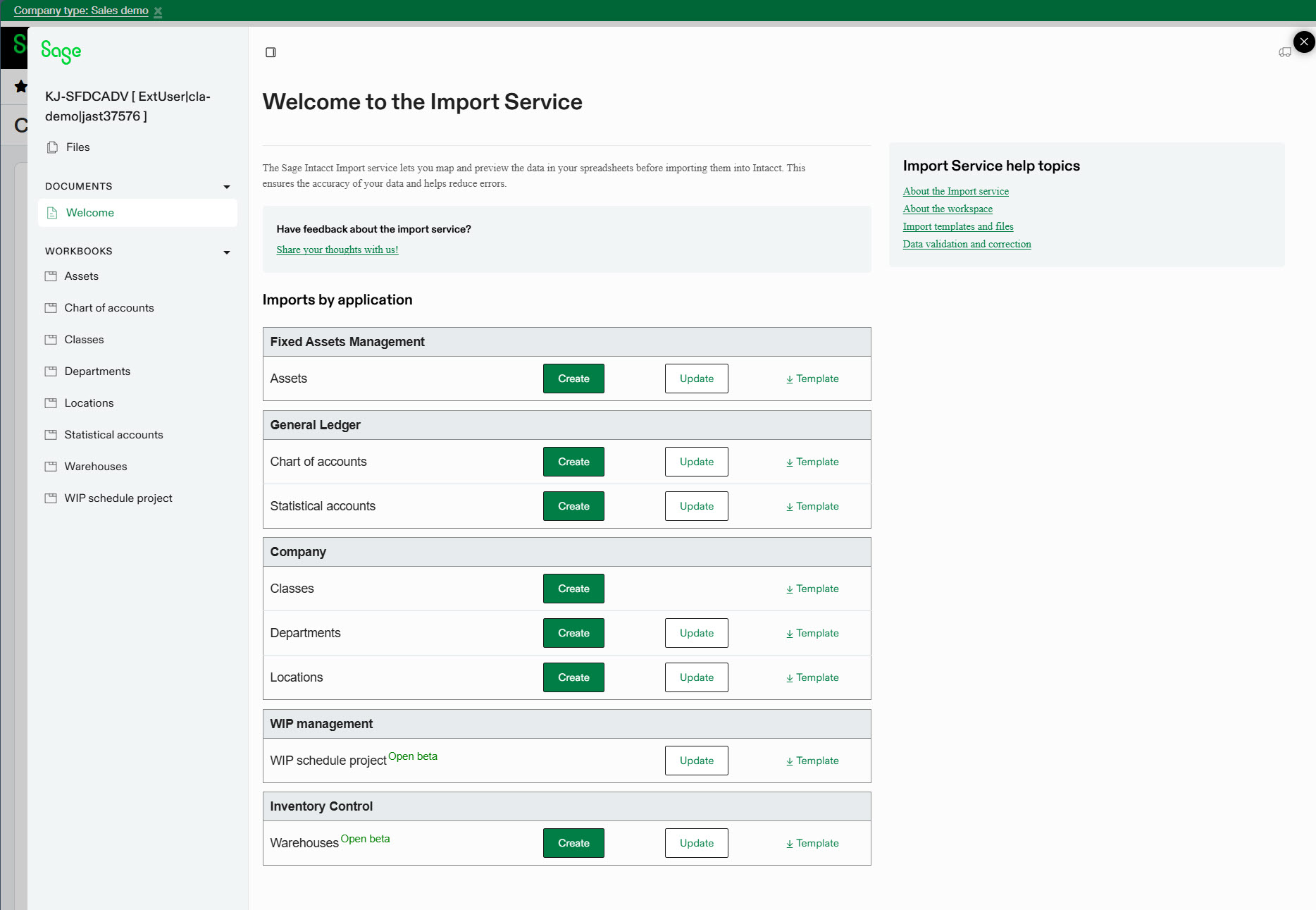
The new import service has been around for some time now — it’s the only way to import fixed assets if you use the Sage Fixed Assets Management module — and is now slowly being released to other areas of the system.
You may be thinking, I’m used to the quirks of the existing import tool and I think I’ve mastered it (thanks to this helpful blog post), why should I learn something new? Here are a few reasons why we think it’s a worthwhile investment of your highly valuable learning time:
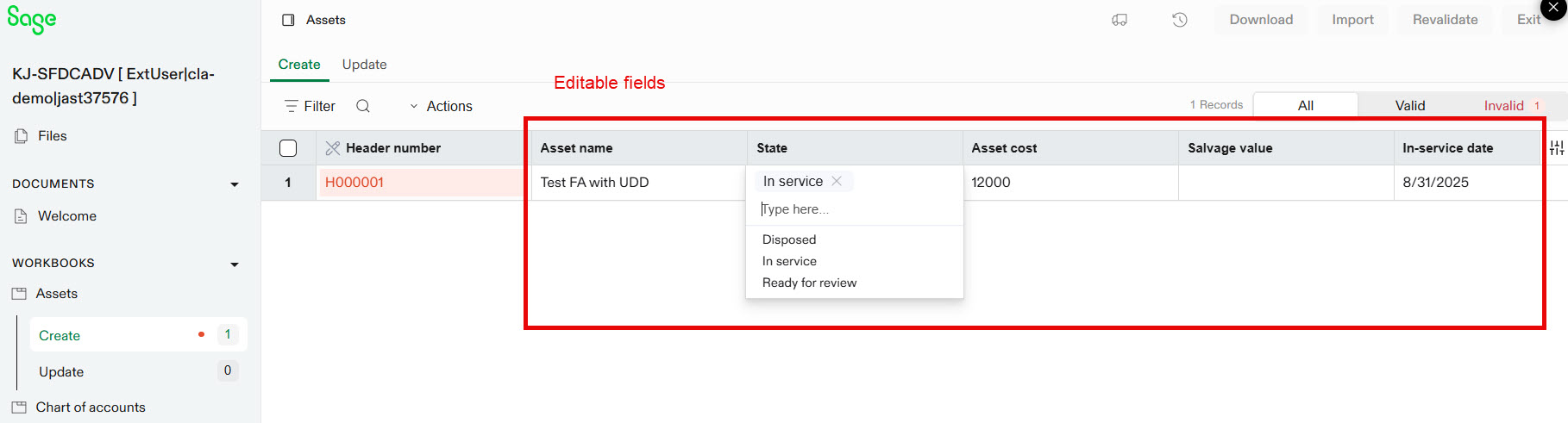
Greater flexibility — Import templates now offer greater flexibility, letting you select Sage Intacct fields for each Excel column or opt to ignore them.
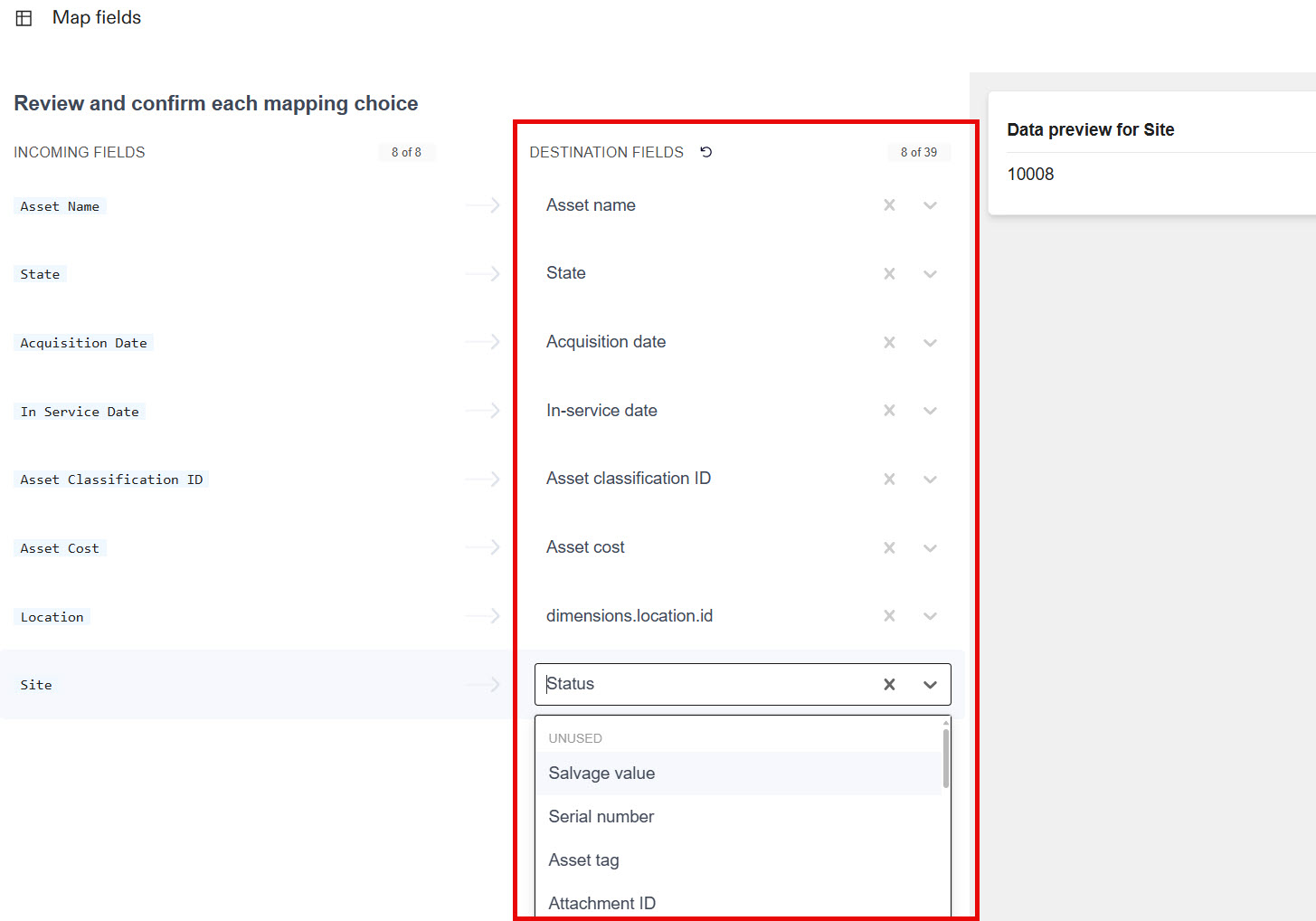
Real-time error handling — Gone are the days of crossing your fingers and hoping for a successful import email or decoding cryptic error messages. The preview screen highlights any issues in the user interface with helpful error messages.
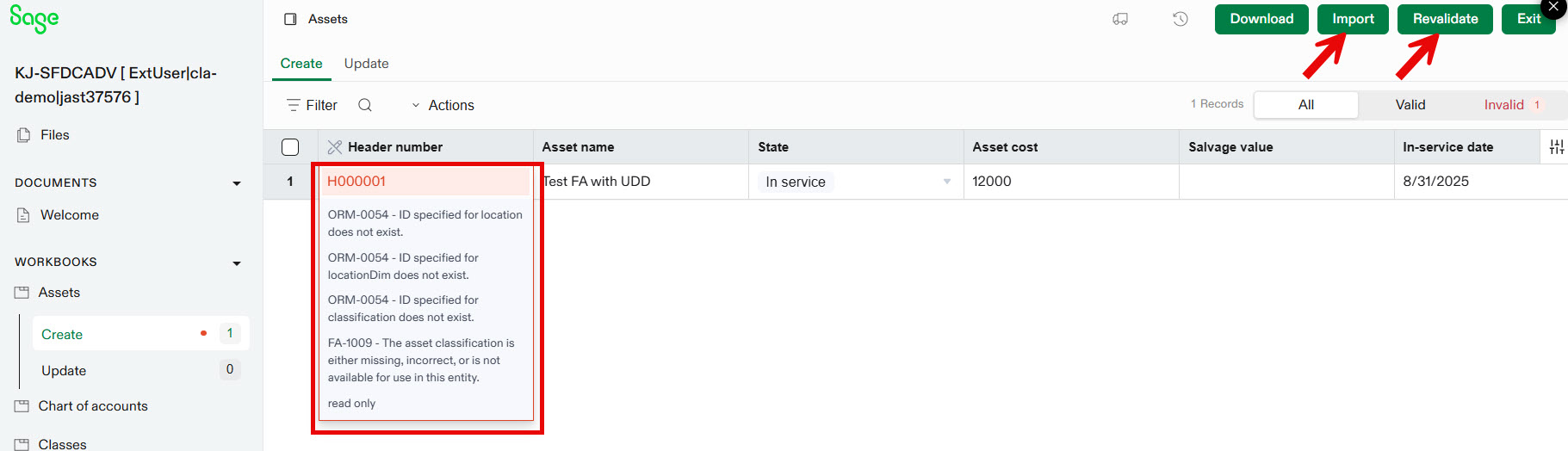
Intuitive interface — Additionally, for any errors identified, you can update field values in the preview screen within Intacct. This means, less Excel templates saved to your device with the dreaded v1, v1.1, 1.99…
Additional functionality — New import capabilities are actively being incorporated in each release; some, like updates to AP bills, are even in open/limited beta now.
Now that we’ve persuaded you to take a look, or at least piqued your curiosity, you might ask, how do I start? Great question! No subscription or configuration is required for this feature, simply navigate to: Company > Import data > New import service. If you find you’d prefer to have some support in navigating this tool, reach out to your CLA Sage Intacct support team!
Purchasing — AP automation without matching
Many Sage Intacct companies leverage Purchasing for its flexible approvals and workflows, regardless of whether a formal purchase request or order process is in place. In fact, it’s possible to have just one “AP bill” transaction in Purchasing. Prior to release three, to use AP automation in Purchasing — that is the ability to either upload or email a vendor’s invoice and auto-draft a bill in Sage Intacct — you had to have an originating document to match to. With the latest release, this is no longer a requirement!
See a preview of the feature in action below. In this example, we’ve received a bill from ADP. Watch as the AI auto-populates the vendor, invoice date, due date, and amount from the PDF. Since no PO exists for ADP, Intacct drafts an AP bill transaction rather than attempting to convert from a PO. We also always have the option to switch to a vendor invoice and choose which PO to convert from.
This feature requires a subscription and a bit of configuration change, so reach out to your CLA Sage Intacct client success team member for more information.
What’s next?
Only 89 other features from R3 2025 to review! If that seems like a lot, check out our Release 3 webinar to learn what other new enhancements became available. Or, if you’d like a more personalized assessment on whether your current processes could use a boost of efficiency from a missed release note, reach out to our CLA Sage Intacct team!